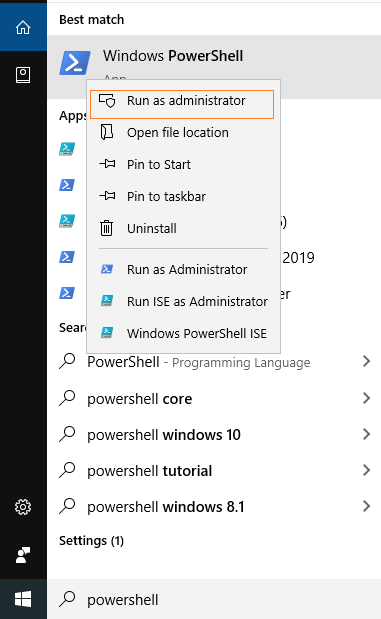
Based on the search result, right-click on the Windows PowerShell and Run as Administrator. It will take you to Windows PowerShell’s as administrator mode.
2. Run PowerShell as an Administrator using Run window
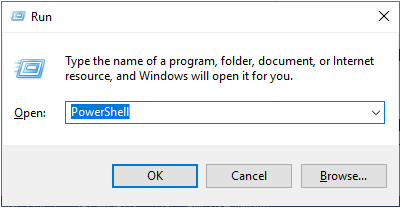
Step 1: Press the Windows + R keys simultaneously, and it will open a Run dialog box. Now, type the PowerShell in the Run dialog box and click on the OK button.
Step 2: Step 1 opens the normal PowerShell windows for the current user. Now, on the PowerShell windows, type the command start-process powershell -verb runas and press the “enter” key.

Leave a Reply