The PowerShell Get-Help cmdlet is used to display information about the PowerShell commands and concepts. It displays the information, including functions, providers, workflows, scripts, and aliases of cmdlets. To get help for a PowerShell cmdlet, type the Get-Help followed by the name of a cmdlet, such as: Get-Help Set-Item. We can also get help for a PowerShell provider, type the Get-Help cmdlet followed by the provider name.
Syntax
- Get-Help
- [[-Name] <string>]
- [-Path <string>]
- [-Category {Alias | Cmdlet | Provider | General | FAQ | Glossary | HelpFile | ScriptCommand | Function | Filter | ExternalScript | All |DefaultHelp | Workflow | DscResource | Class | Configuration}]
- [-Component <string[]>]
- [-Functionality <string[]>]
- [-Role <string[]>]
- [-Full]
- [<CommonParameters>]
- Get-Help
- [[-Name] <string>]
- -Detailed
- [-Path <string>]
- [-Category {Alias | Cmdlet | Provider | General | FAQ | Glossary | HelpFile | ScriptCommand | Function | Filter | ExternalScript |All | DefaultHelp | Workflow | DscResource | Class | Configuration}]
- [-Component <string[]>]
- [-Functionality <string[]>]
- [-Role <string[]>]
- [<CommonParameters>]
- Get-Help
- [[-Name] <string>]
- -Examples
- [-Path <string>]
- [-Category {Alias | Cmdlet | Provider | General | FAQ | Glossary | HelpFile | ScriptCommand | Function | Filter | ExternalScript |All | DefaultHelp | Workflow | DscResource | Class | Configuration}]
- [-Component <string[]>]
- [-Functionality <string[]>]
- [-Role <string[]>]
- [<CommonParameters>]
- Get-Help
- [[-Name] <string>]
- -Parameter <string>
- [-Path <string>]
- [-Category {Alias | Cmdlet | Provider | General | FAQ | Glossary | HelpFile | ScriptCommand | Function | Filter |ExternalScript | All | DefaultHelp | Workflow | DscResource | Class | Configuration}]
- [-Component <string[]>]
- [-Functionality <string[]>]
- [-Role <string[]>]
- [<CommonParameters>]
- Get-Help
- [[-Name] <string>]
- -Online
- [-Path <string>]
- [-Category {Alias | Cmdlet | Provider | General | FAQ | Glossary | HelpFile | ScriptCommand | Function | Filter | ExternalScript |All | DefaultHelp | Workflow | DscResource | Class | Configuration}]
- [-Component <string[]>]
- [-Functionality <string[]>]
- [-Role <string[]>]
- [<CommonParameters>]
Parameters
-Name
The -Name parameter is used to get the help about the specified command or concept.
-Path
The -Path parameter is used to get the help which explain how the cmdlet works in the specified provider path. To use this parameter, we can install the help file for a module that includes the provider.
-Category
The -Category parameter is used to display the help only for those items which exist in the specified category and their aliases. Following are the acceptable values for this parameter:
- All
- DefaultHelp
- Workflow
- DscResource
- Class
- Alias
- Glossary
- HelpFile
- ScriptCommand
- Function
- Filter
- Cmdlet
- Provider
- General
- FAQ
- ExternalScript
- Configuration
-Component
The -Component parameter is used to display the commands with the given component value. Wildcard characters are accepted.
-Functionality
The -Functionality parameter is used to display help for the items with the given functionality. Wildcard characters are accepted.
-Role
The -Role parameter is used to display the help which is customized for the specified user role. Wildcard characters are accepted.
-Full
The -Full parameter is used to display the entire help article for a cmdlet. It is effective only when the help files are installed on the computer.
-Detailed
The -Detailed parameter is used to add the examples and description of a parameter to the basic help display.
-Examples
The -Examples parameter is used to display only the names, synopsis, and examples.
-Parameter
The -Parameter is a parameter that displays only the detailed description of the given parameters.
-Online
The -Online parameter is used to show the online version of a help article in a default browser. It is valid only for function, cmdlet, workflows, and script help articles. We cannot use this parameter with Get-Help cmdlet in a remote session.
Examples
Example 1: To display basic help information about a cmdlet
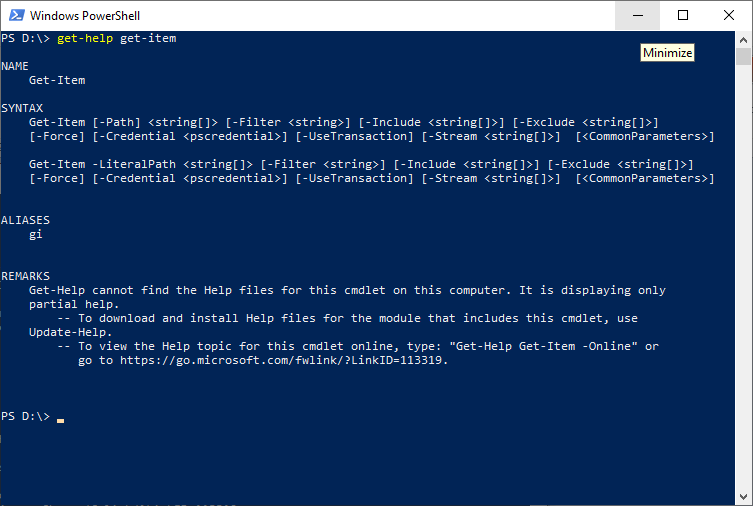
The cmdlet in this example is used to display the basic help information on a PowerShell console about the get-Item cmdlet.
Example 2: To display more information for a cmdlet
The cmdlet in this example is used to display more detailed information for help about a get-Item cmdlet.
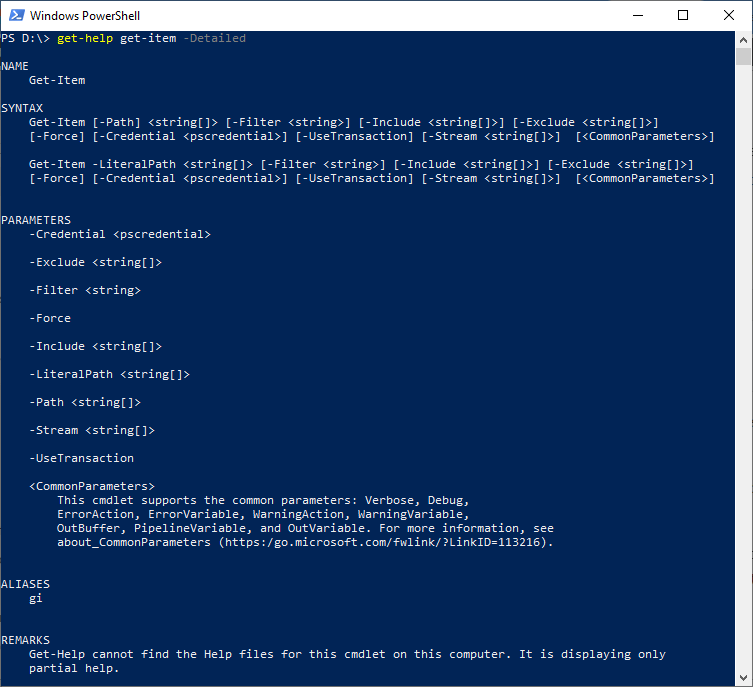
The -Detailed parameter is used in this cmdlet to display the detailed view of help article’s which includes parameter descriptions and examples.
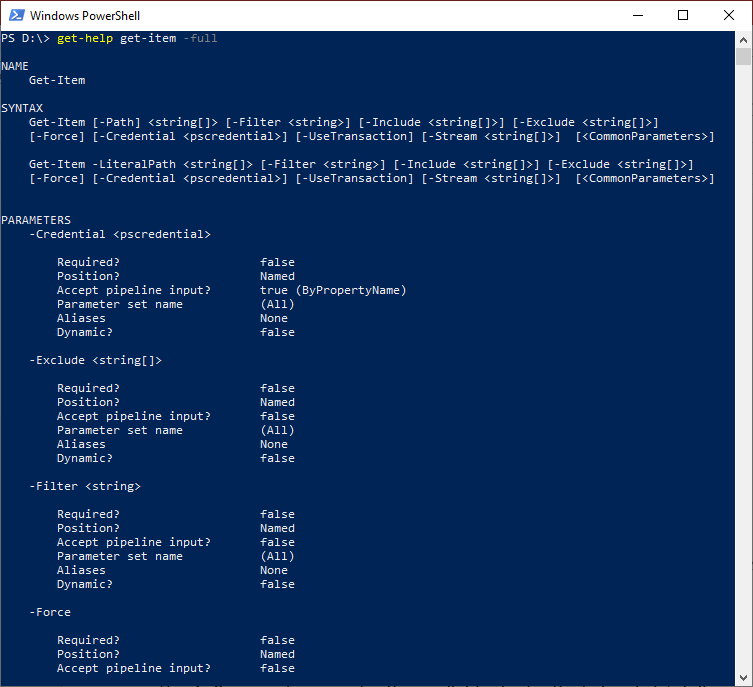
The -Full parameter is used to display the full view of help article’s which includes an example of parameters, descriptions, input and output object types, and additional notes.
Example 3: To display selected part of a cmdlet
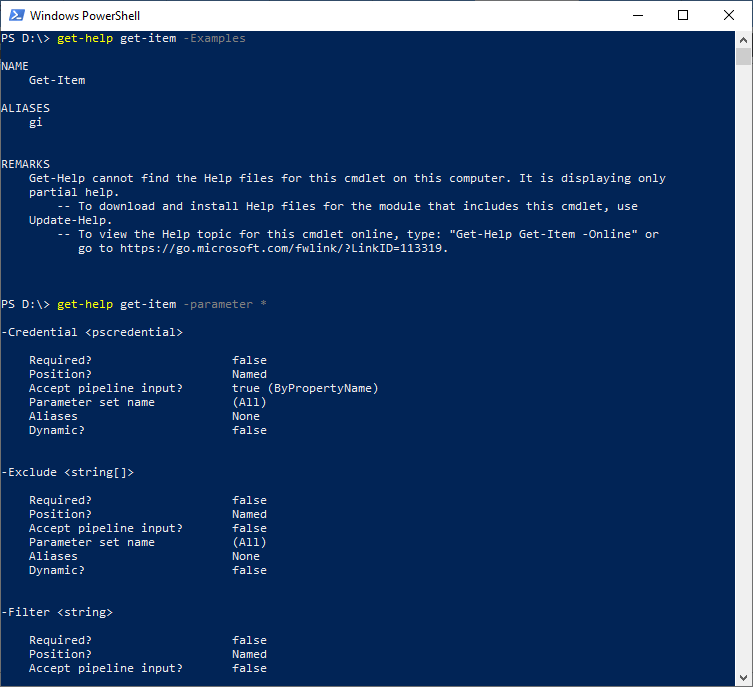
The cmdlet in this example is used to display the selected portion of the get-Item cmdlet.
Example 4: To display an online version of the help of a cmdlet
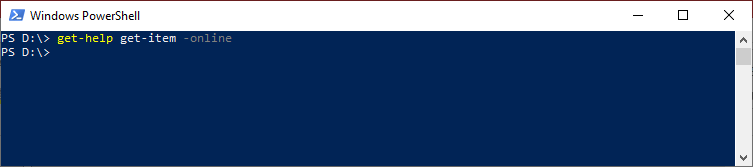
The cmdlet in this example is used to display the online version of the help article for the get-Item cmdlet in the default web browser.
Example 5: To display help about the PowerShell help system
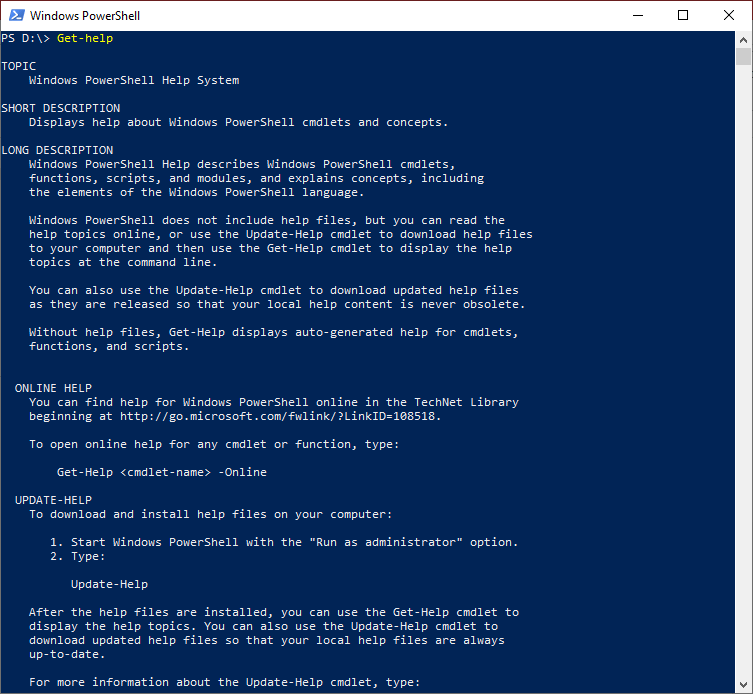
The cmdlet in this example is used to display the information about the PowerShell help system.
Example 6: To display the available help articles
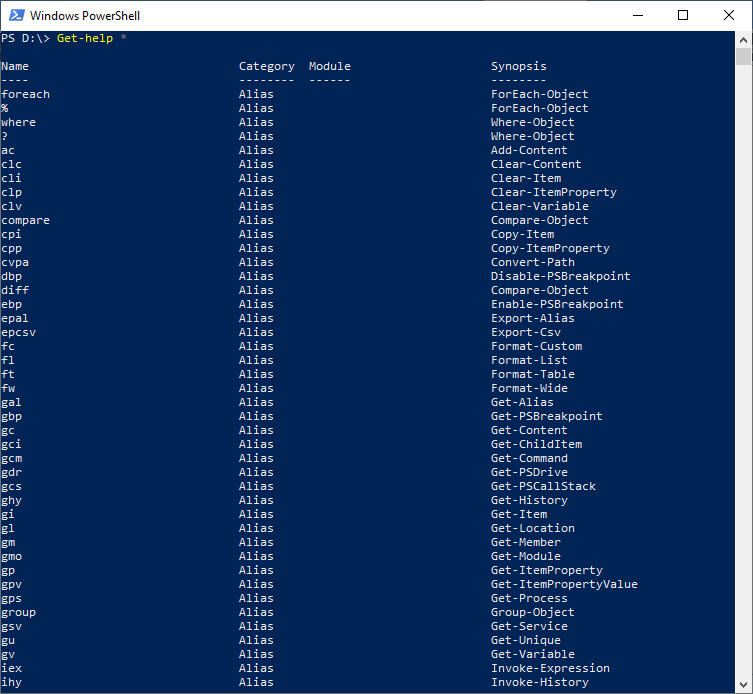
The cmdlet in this example is used to display the list of help articles which are available on the computer.
Leave a Reply