In this article, we will discuss and use PowerShell’s Get-Date Format (or Date Format) command. Date and times properties are used several times throughout the PowerShell scripts. Using the Get-Date cmdlet, we can retrieve the current date of our machine. The default format of date is defined on the local system on which we run the command. There are several formats and parameters are used with the Get-Date command. Here, we will only focus on the formatting and display the different date results.
Before performing all the Get-Date cmdlet operations on the PowerShell, we must know how to start the PowerShell tool (application).
Start PowerShell as an Administrator
There are various ways to start PowerShell as an Administrator; some of the basic ways are mentioned below:
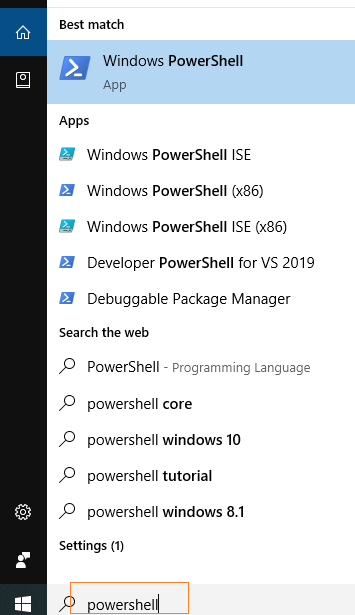
1. Run PowerShell as an Administrator using Windows’s search bar
Step 1: Windows 10 operating system comes with a search field in the taskbar. Point the cursor in the search field and type “powershell” (or PowerShell).
Leave a Reply