- We can use the following Cmdlet to get the effective execution policy for the current PowerShell session:
- Get-ExecutionPolicy
- We can use the following command to get all the execution policies which affect the current session. And, using this command, we display them in the precedence order.
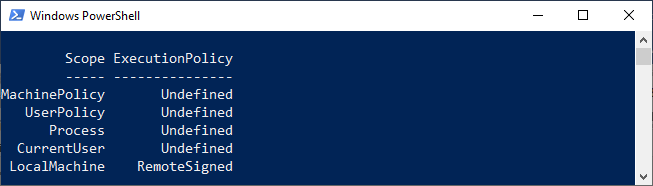
- Get-ExecutionPolicy -list
The output of the above command looks like this:
- We can use the -Scope parameter to get the execution policy for a particular scope. For example, the following command gets the execution policy for the LocalMachine Scope:
- Get-ExecutionPolicy -Scope LocalMachine
The above command will display output as RemoteSigned
Leave a Reply