Followings are the different types of date format in PowerShell:
- DisplayHint
- Format
- UFormat
When to use Get-Date
The Get-Date command returns a DateTime object that shows the current date or date you specify on your local device. Let’s see the default format of the system when we use the Get-Date command.

The Get-Date command returns a date and time value in string type of various UNIX and .NET formats and moves the string to other cmdlets.
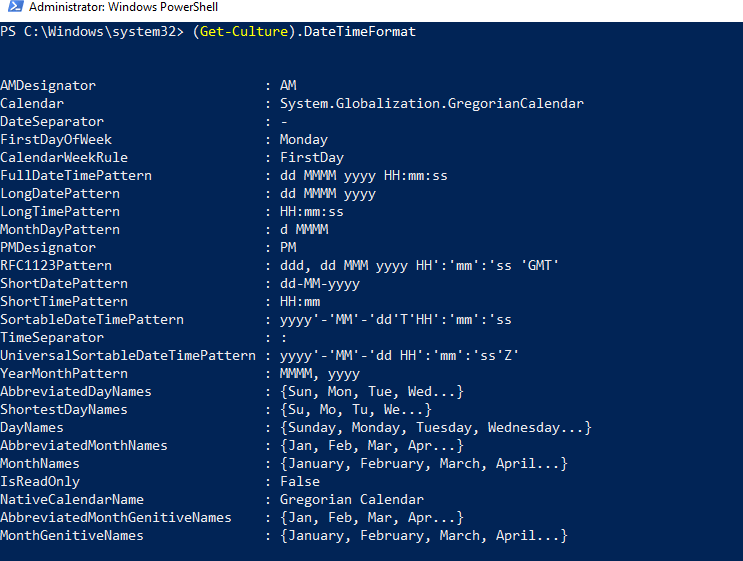
The format of output shown on your shell’s screen is based on your formatted computer settings. To view your device date settings, use the (Get-Culture).DateTimeFormat command; it will return different date and time formats.
- (Get-Culture).DateTimeFormat
Leave a Reply